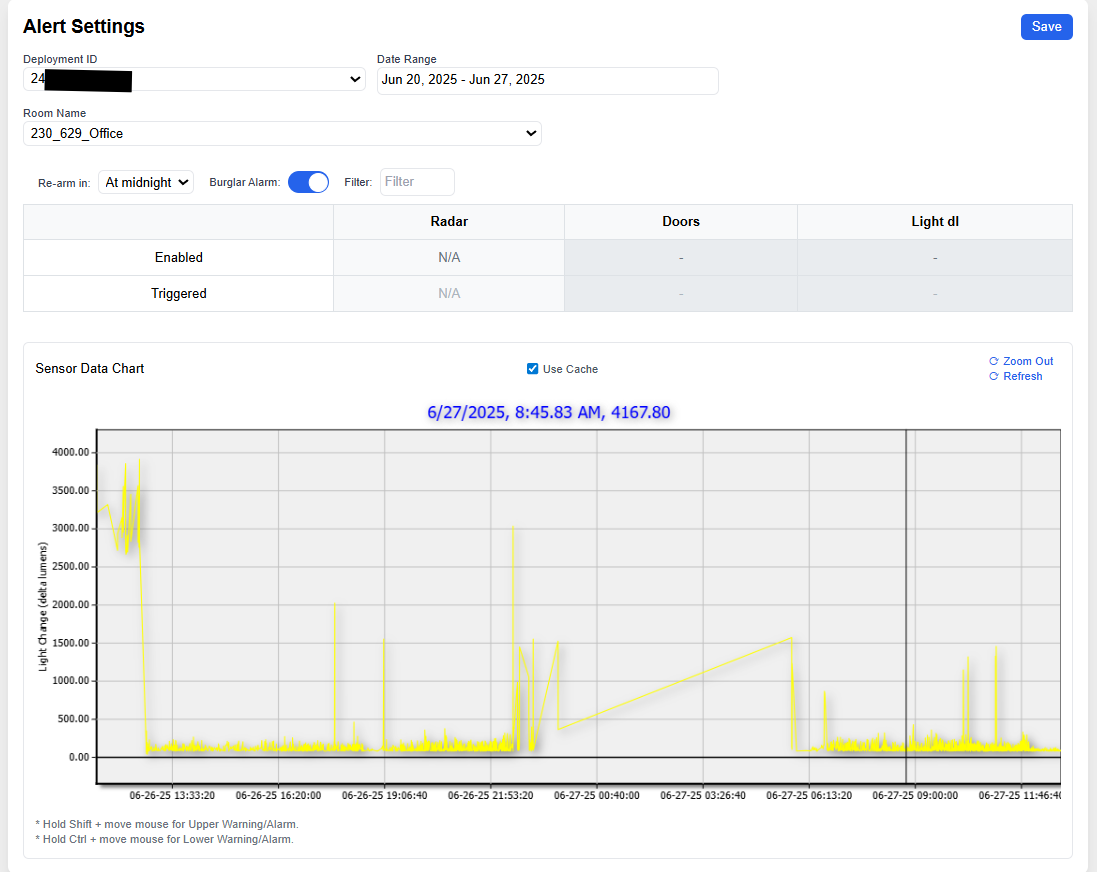
Understanding And Locating The Alarm System
Alarm System
The Alarm System is designed to notify caretakers when a beneficiary's behavior significantly deviates from established patterns.
To access the Alarm System page:
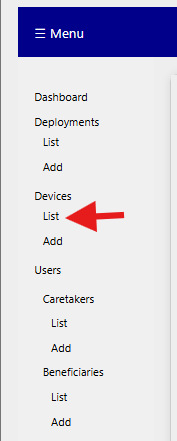
- Navigate to Devices in the left-hand sidebar and click List.
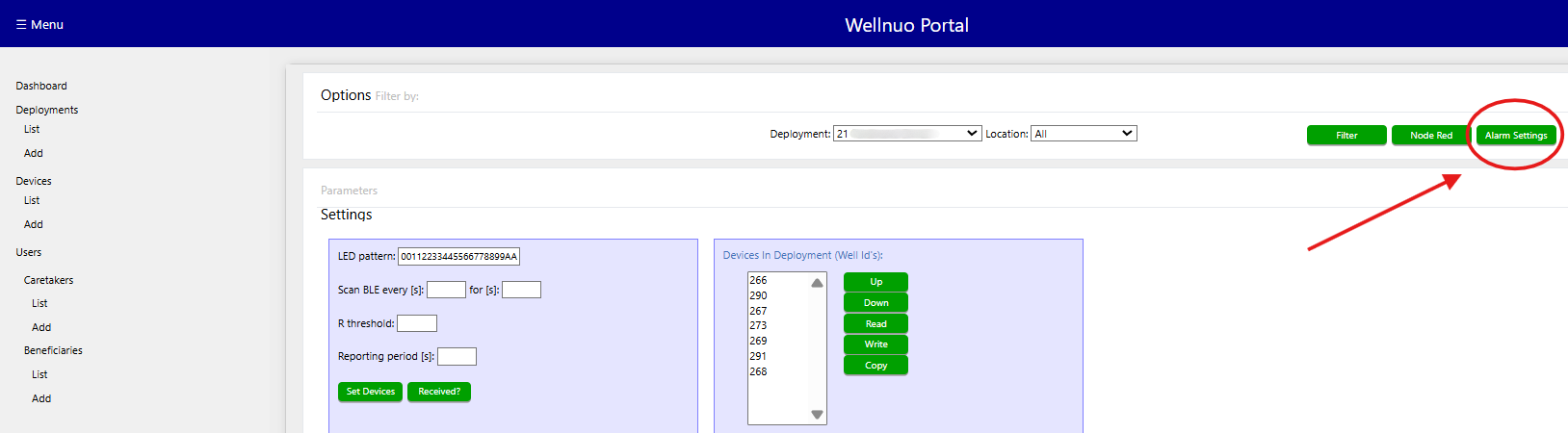
- Select the appropriate deployment.
- Click the Alarm Settings button located within the deployment view.
The Alarm System screen provides an interface for managing alerts based on specific sensor conditions and room locations. From this view, users can configure, adjust, or disable alarms as needed for each deployment.