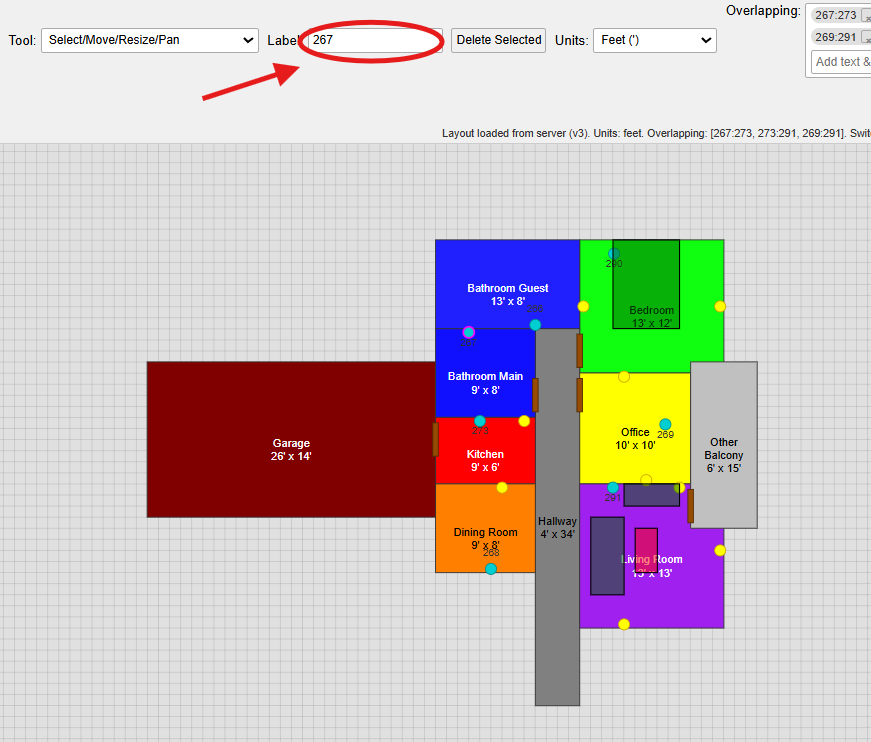
Adding Plugs, WelllPlugs, and Furniture
Adding Plugs, WellPlugs, and Furniture
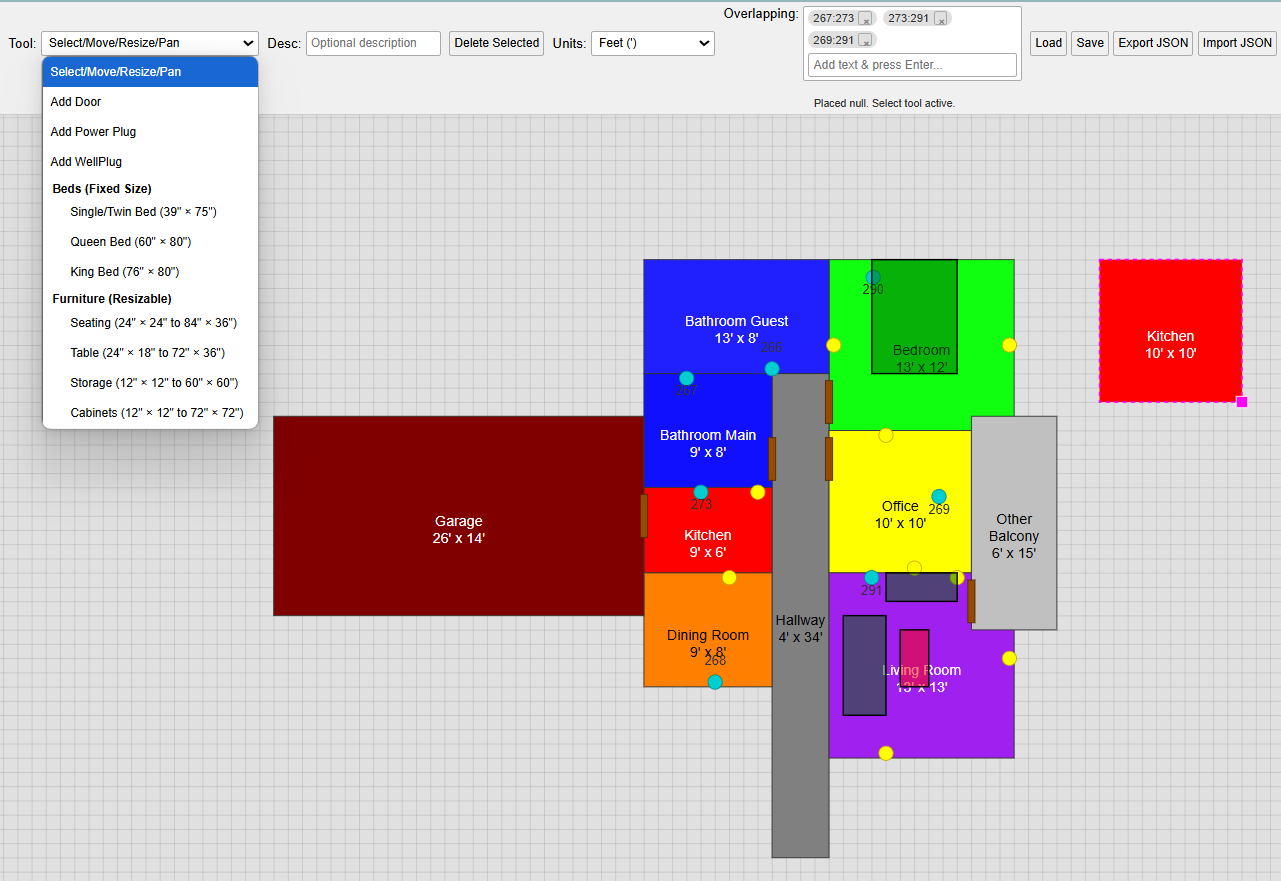
Navigate to the Tools section in the top menu (left side). From the dropdown, you can select and add:
- Door
- Power plug
- WellPlug
- Single/twin bed
- Queen bed
- King bed
- Seating
- Table
- Storage
- Cabinets
To place an item:
- Choose it from the dropdown menu.
- Left-click on the grid to position it.
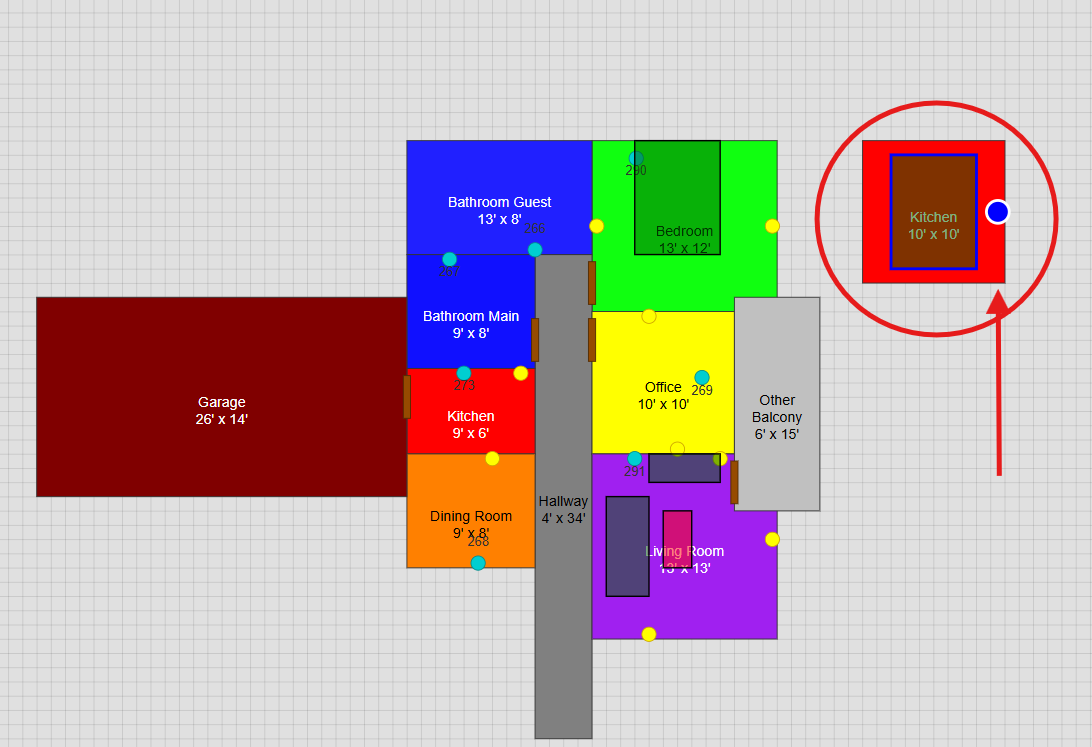
To rotate furniture:
- Click the item to display a blue outline and a blue rotation dot.
- Click the blue dot to rotate the item clockwise.
- To remove it, select the item and click Delete Selected.
To label a WellPlug:
- After placing the WellPlug device, use the Label field (next to Tools in the top menu) to name it.
- Labeled WellPlugs are indicated by a blue circle.