Using The Floor Plan Layout Tool
Using the Floor Plan Layout Tool
In the Devices in Deployment section (where your sensor data graphs are displayed), you can access the Floor Plan Layout Tool by clicking the green Floor Plan button. This button is located in the bottom row of the top menu, alongside the filters and graph settings.

Overview
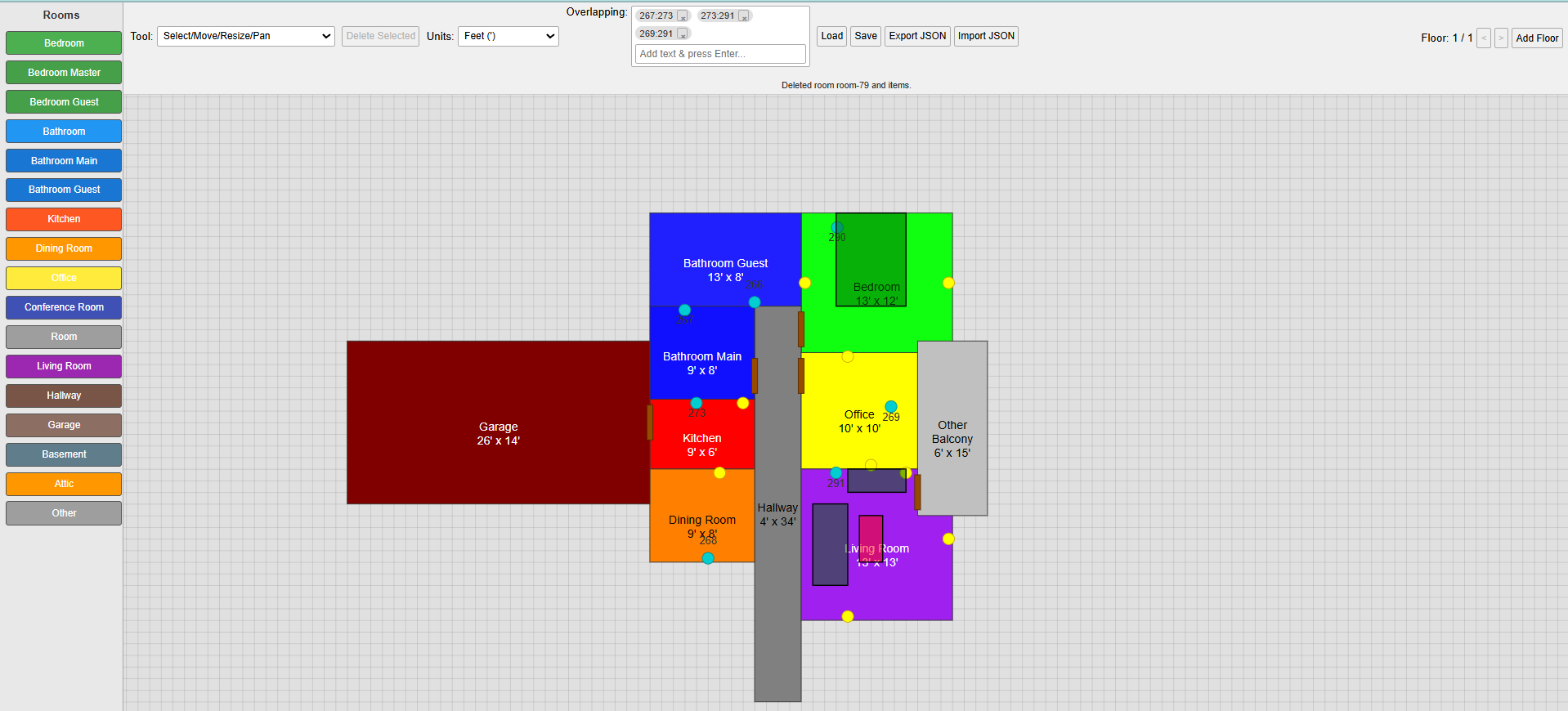
Clicking the Floor Plan button opens a visual layout tool designed to help users create a representation of a home or apartment. This interface provides a grid-based sketching environment with toolbars on the left and top, enabling users to model:
- Room and hallway layouts
- Furniture arrangements (which may affect sensor performance)
- Wall plug placements (occupied and unoccupied)
Each square in the grid represents one foot by default. Unit measurements can be changed via the Units dropdown in the top menu. Available options include centimeters, inches, and decimeters. All dimensions on the layout will automatically adjust when a new unit is selected. Room dimensions (length and width) are displayed at the center of each room.